Twitter Video Downloader
Download X Videos & GIFs (HD MP4) - 2025

This guide shows how to download tweet videos and convert Twitter GIFs to MP4 safely on iPhone, Android, and desktop. It also explains why “no sound” happens, how long videos behave, and what to do when a link fails.

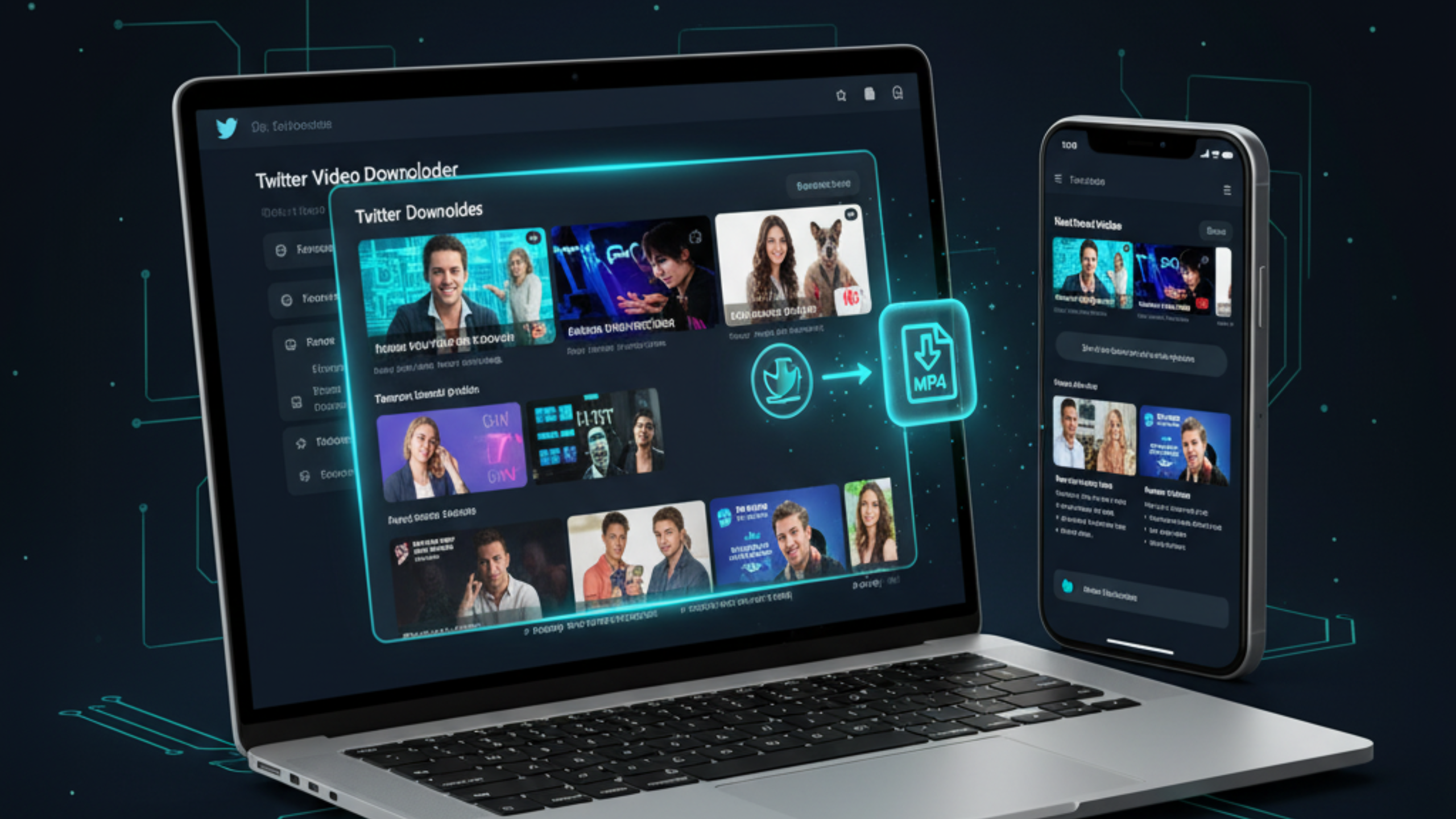
Twitter video downloader for X - download videos online in HD MP4

If you need a twitter video downloader that works on real links, focus on the simplest workflow: open the post, copy the tweet link, paste it into a browser tool, then save the MP4 file. Most failures come from the wrong link type, embedded players, or posts that are not publicly accessible. This page covers the fastest method, a comparison of safe options, and practical fixes for “no sound,” long videos, and private tweets.

How to Download Twitter (X) Videos Online

A reliable method that works on most public tweets.

Steps to download Twitter videos online and save as MP4

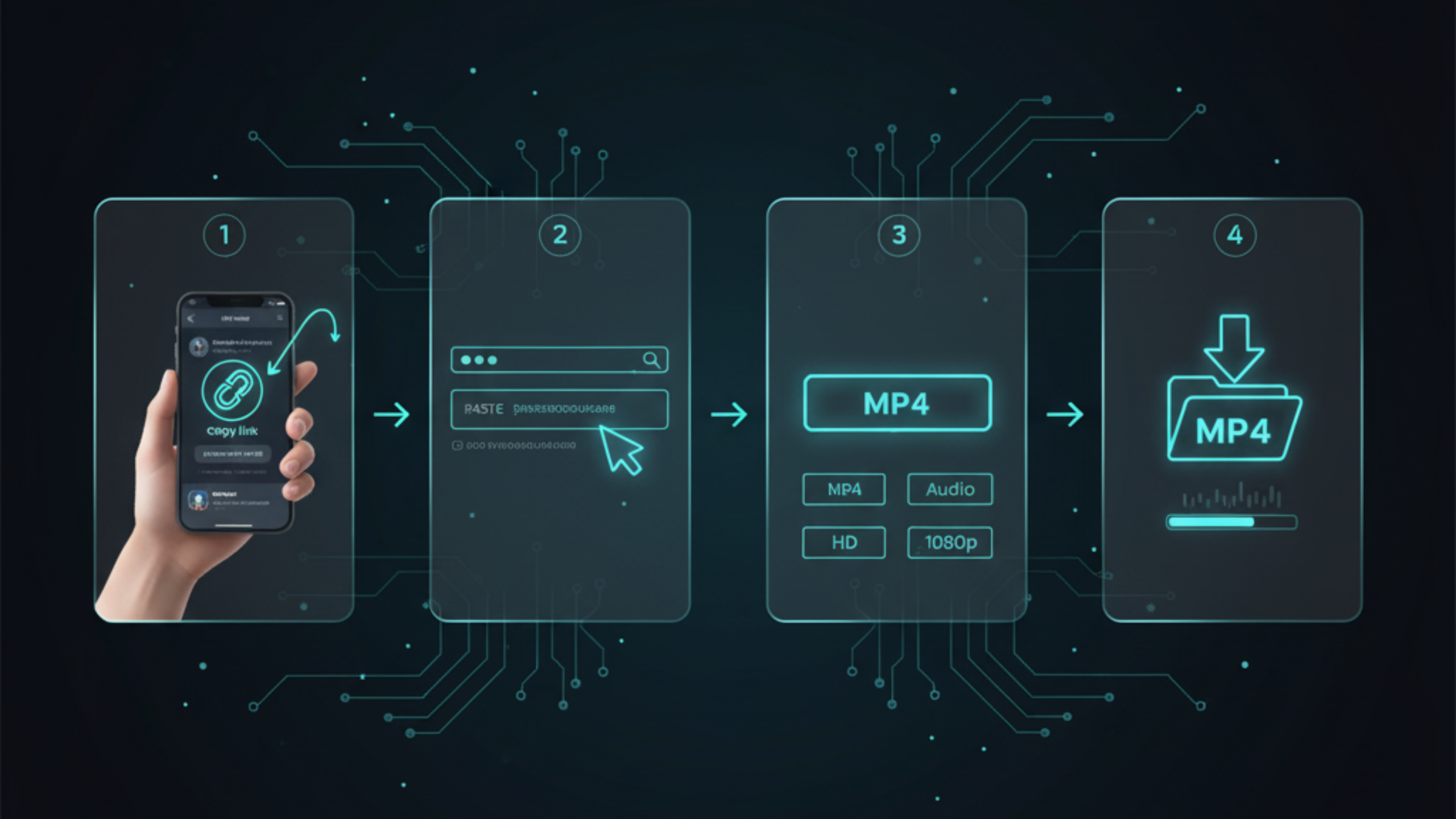
Step-by-step (MP4 download)

  • Open X (Twitter) and find the tweet with the video.
  • Tap Share and copy the link, or copy from the address bar on desktop.
  • Open FreeSocialDownloader.com and choose the X/Twitter tool page.
  • Paste the link and select MP4.
  • Choose the best available quality and download.
  • Save the file to your device and confirm it plays with sound.

A clean link reduces errors. If you copied a shortened or tracked URL, open it in a browser first, then copy the final address bar URL.

To download Twitter/X videos online, copy the tweet link, paste it into FreeSocialDownloader.com, choose MP4, then select the highest available quality and save the file. If a download fails, use the clean URL from the browser address bar and confirm the tweet is public and accessible in your region.

Key Entities and How They Relate

What you are actually downloading

On X, videos, GIFs, and media previews may render inside the timeline, inside an embedded card, or inside a player page. A downloader works best when you provide a direct tweet URL that the browser can load normally.

Entities you will see in this guide

  • X (Twitter): the platform hosting the tweet and media.
  • Tweet URL: the link to the post that contains the media.
  • Media stream: the video asset that must be fetched and saved as a file.
  • MP4 file: the standard video format most devices support.
  • GIF-to-MP4 conversion: how animated “GIFs” are usually delivered.
  • Device storage: Files app (iPhone), Downloads folder (Android/desktop), or your chosen directory.

FreeSocialDownloader.com fits into the workflow between the tweet URL and the MP4 file. It takes the link, finds the media stream, then helps you download a playable file without login.

Formats, Quality, and Why Some Videos Have No Sound

Twitter formats explained: MP4 video, GIF to MP4 conversion, and audio

Twitter GIF vs video

A “Twitter GIF” usually behaves like a silent looping video. Many tools treat it as video and provide an MP4 output. If you want a twitter gif downloader or twitter gif to mp4 converter, the correct outcome is often a clean MP4 file that loops.

Why “no sound” happens

Some tweets contain silent media by design. Others split audio and video in a way that needs correct handling. If a tool produces a silent file for a video that should have audio, it usually means the audio track was not included.

Quick fix: retry using the clean tweet URL, then download again. If you are on mobile and the file is large, retry on desktop for a more stable download.

HD, 1080p, and 4K expectations

People search for download twitter videos 1080p or even twitter 4k video downloader. In practice, quality depends on what the original upload provides and what X serves for that tweet. A downloader cannot invent quality that does not exist.

Speed, size, and stability

  • Short clips download fast even on mobile.
  • Long videos can fail on unstable connections; desktop browsers are more reliable.
  • Higher quality means larger files and longer downloads.

Device Guides: iPhone, Android, PC, and Mac

Download X (Twitter) videos on iPhone, Android, PC, and Mac

iPhone (Safari) - save to Files

If you want download twitter videos iphone, Safari is usually the most reliable approach because it saves directly to your device.

  • Open the tweet and copy the link.
  • Open Safari and paste the link into the downloader tool.
  • Download the MP4 file.
  • Open FilesDownloads to find it.

Android (Chrome) - save to Downloads

For download x videos mobile on Android, Chrome works well for both short clips and most normal videos.

  • Copy the tweet URL.
  • Paste into the tool and download MP4.
  • Find the file in Downloads or your gallery folder.

Windows / PC (Chrome or Edge)

If you need a twitter video downloader for pc, desktop is best for long videos and stable downloads.

  • Open the tweet in a browser.
  • Copy the address bar link.
  • Paste it into the tool and save the MP4 to your Downloads folder.

Mac (Safari or Chrome)

People often search for download twitter videos on mac. The steps are the same: copy the clean tweet link, paste it into the tool, then save the MP4 file.

If your browser blocks the download pop-up, allow downloads for the site and retry once. Most failures are link quality, not device type.

Comparison: Best Methods by Situation

Use the simplest method first, then move to backups only if needed.

Method A: Browser tool (recommended)

Best for: most public tweet videos, GIF-to-MP4, quick downloads, and no installs. This is what people mean when they search download twitter videos online or twitter downloader no login.

Method B: Desktop-first workflow

Best for: long videos, unstable connections, and larger file sizes. If you need download long twitter videos hd, desktop browsers usually succeed more often than mobile.

Method C: Screen recording (last resort)

Best for: cases where nothing else works. You may lose quality and spend more time trimming and saving.

Pattern that works: start with Method A, switch to Method B if the file fails, use Method C only when you cannot get a clean download.

Private Tweets and Restricted Content

Many users search for download private twitter videos. Here is the practical rule: if you cannot view the tweet normally, you should not try to download it. Private accounts, locked tweets, removed posts, and some age or region restrictions block direct access.

What usually works

  • Public tweets you can open in a normal browser session.
  • Media that plays normally without sign-in prompts.

What often fails

  • Locked accounts or private tweets.
  • Deleted tweets or media that no longer loads.
  • Content you cannot access in your region or device context.

Safety rule: avoid any tool that asks for your login credentials. A safe downloader should not require account passwords for public content.

Most Asked Twitter (X) Questions

Fast answers people look for before they download.

Can I download Twitter videos without login?

Yes, for public tweets. If a post is locked or inaccessible, downloads usually fail because the media is not publicly available.

Why did my MP4 download have no sound?

Either the tweet media is silent by design, or the audio track was not included. Retry with the clean tweet URL and download again.

Is a Twitter GIF the same as a video?

It behaves like a silent looping video. The practical output is usually an MP4 file you can save and share.

What is the best way to download long videos?

Desktop browsers handle long downloads more reliably. If mobile fails, switch to a computer and try again.

Expert Tips Most Twitter Download Guides Miss

Pick the right quality for your real use

Higher resolution is not always better. On phones, HD often looks the same as higher options while using less storage. Choose quality based on your screen and how you plan to share the file.

Desktop browsers handle large files better

Long videos can be big. Desktop browsers stay more stable for large downloads. If a file fails on mobile, retry on a computer.

Clean links reduce errors

Copy the full URL from the address bar. Clean links fail less often than redirected share links.

GIFs are usually silent by design

Many “GIF” posts are silent loops. Do not treat “no sound” as a bug unless the tweet is clearly a normal video.

Common myths

  • You cannot force 1080p if X does not provide it for that tweet.
  • A bigger file is not automatically “better” if you only need quick sharing.
  • Screen recording often reduces clarity and creates larger files.

What most guides miss

Some tweets load fine in-app but fail in embedded views. Opening the tweet in a browser and copying the clean URL fixes many “not working” cases.

Real-world file size expectations

  • Short clips: fast downloads on mobile.
  • HD video: balanced for sharing and offline saves.
  • Long HD: better on desktop with stable internet.
  • GIF-to-MP4: usually small and silent.

Privacy and safety checklist

  • Never share login details.
  • Avoid suspicious extensions and unknown apps.
  • Download only content you are allowed to access.

Best workflow

  • Open the tweet in a browser.
  • Copy the clean link from the address bar.
  • Paste into the downloader.
  • Select MP4 and quality.
  • Save and test playback (sound included when applicable).

Quick takeaways

  • Public access matters more than device type.
  • GIFs are often silent loops, not broken downloads.
  • Desktop is more stable for long videos.
  • Clean links prevent most errors.
  • Do not use tools that ask for passwords.

Troubleshooting: When Downloads Fail

The fastest fixes first, with clear reasons behind each one.

1) The link is not a real tweet URL

Some links come from embedded players or tracking redirects. Open the tweet in a browser and copy the address bar URL. Then retry the download.

2) The tweet is private or not accessible

If the account is locked or you cannot view it normally, downloads should fail. This includes cases where you see a preview but cannot open the tweet fully.

3) No sound

If the post is a GIF, silence is expected. If it is a normal video, retry with the clean URL and download again.

4) Slow downloads or timeouts

Long files fail on unstable connections. Switch to desktop for better stability or retry with a lower quality option.

5) Browser blocks

If your browser blocks downloads, allow the site to download files, then retry once. Private browsing modes can block downloads more often than normal mode.

Quick reset checklist: clean URL → retry once → switch browser → switch to desktop. If it still fails, the tweet is usually restricted or not accessible.

Real Use Cases People Actually Have

Short scenarios that match how people save X videos in real life.

Saving a clip before travel

You spot a useful clip while you have good internet. You download it as MP4 and keep it in your Files/Downloads folder. Later, you can watch it offline without reopening the app.

Turning a Twitter GIF into a shareable file

GIF posts are often easier to share as MP4. A GIF-to-MP4 conversion keeps the loop and works in most messengers.

Archiving a long thread video

Some threads include long video segments. Desktop downloads reduce failures and keep the process stable.

Many users ask whether “an app is required.” In most cases, a browser workflow is safer because it avoids unknown extensions and permissions.

FAQ

Short answers to common questions about downloading X (Twitter) videos, GIFs, MP4 conversion, device steps, and link issues.

How do I download Twitter videos online?
Copy the tweet link, paste it into FreeSocialDownloader.com, choose MP4, then download and save the file.
Can I download X videos without login?
Yes, for public tweets. Locked or private accounts usually block downloads because the media is not publicly accessible.
How do I save Twitter videos in HD?
Select the highest available quality shown by the tool. Quality depends on what X provides for that tweet.
How do I download tweet videos on iPhone?
Use Safari, paste the tweet link, download MP4, then find it in the Files app under Downloads.
How do I download X videos on Android?
Use Chrome, paste the tweet URL, download MP4, then check the Downloads folder or your gallery directory.
How do I download Twitter videos on PC?
Copy the tweet URL from the address bar, paste it into the downloader, and save the MP4 to your Downloads folder.
How do I download Twitter videos on Mac?
Use Safari or Chrome, paste the tweet link into the tool, then save the MP4 file to your chosen folder.
Why does my downloaded video have no sound?
Some posts are silent by design, especially GIF-style media. If it should have audio, retry with the clean tweet URL.
What is a Twitter GIF to MP4 converter?
It saves an animated tweet “GIF” as an MP4 file so it plays and shares easily across devices.
Can I download embedded Twitter videos?
It is more reliable to open the tweet on X directly and use the tweet URL instead of the embedded page link.
How do I download long Twitter videos in HD?
Use a desktop browser and a stable connection. Long files fail more often on mobile networks.
Do I need software to download X videos?
No. A browser-based tool works for most public tweets and avoids risky installs.
Is there an anonymous Twitter video downloader?
For public tweets, you can download without logging in. Private tweets still require access, and downloads typically fail.
Can I download private Twitter videos?
If you cannot view the tweet normally, you should not try to download it. Do not bypass access controls.
Why does the link fail even though the tweet plays in-app?
Embedded views, redirects, and restrictions can block direct file downloads. Use the clean browser URL and retry.
Can I download Twitter videos with sound?
Yes when the tweet includes audio. If the result is silent, the post may be a GIF loop or the audio track was not included.
Does Chrome work for downloading Twitter videos?
Yes. Chrome is reliable on Android and desktop. If mobile fails for long videos, switch to desktop.
Can I convert Twitter videos to MP4?
Yes. MP4 is the standard output format for most download tools and works on iPhone, Android, and computers.
What is the best free Twitter downloader in 2025?
The best option is the one that works on your link type, supports clean MP4 output, and does not require login for public tweets.
Is downloading X videos legal for personal use?
Download only content you are allowed to access and use. Copyright stays with the creator or rights holder.
The fastest way to save X (Twitter) media is simple: copy the clean tweet URL, paste it into a downloader, then save the MP4 file. When a download fails, the cause is usually a redirect link, an embedded page, or restricted access. For public tweets, FreeSocialDownloader.com gives a quick, no-login workflow that works on iPhone, Android, PC, and Mac.

Blog & Tutorials

Practical guides to download videos in HD from all major platforms.